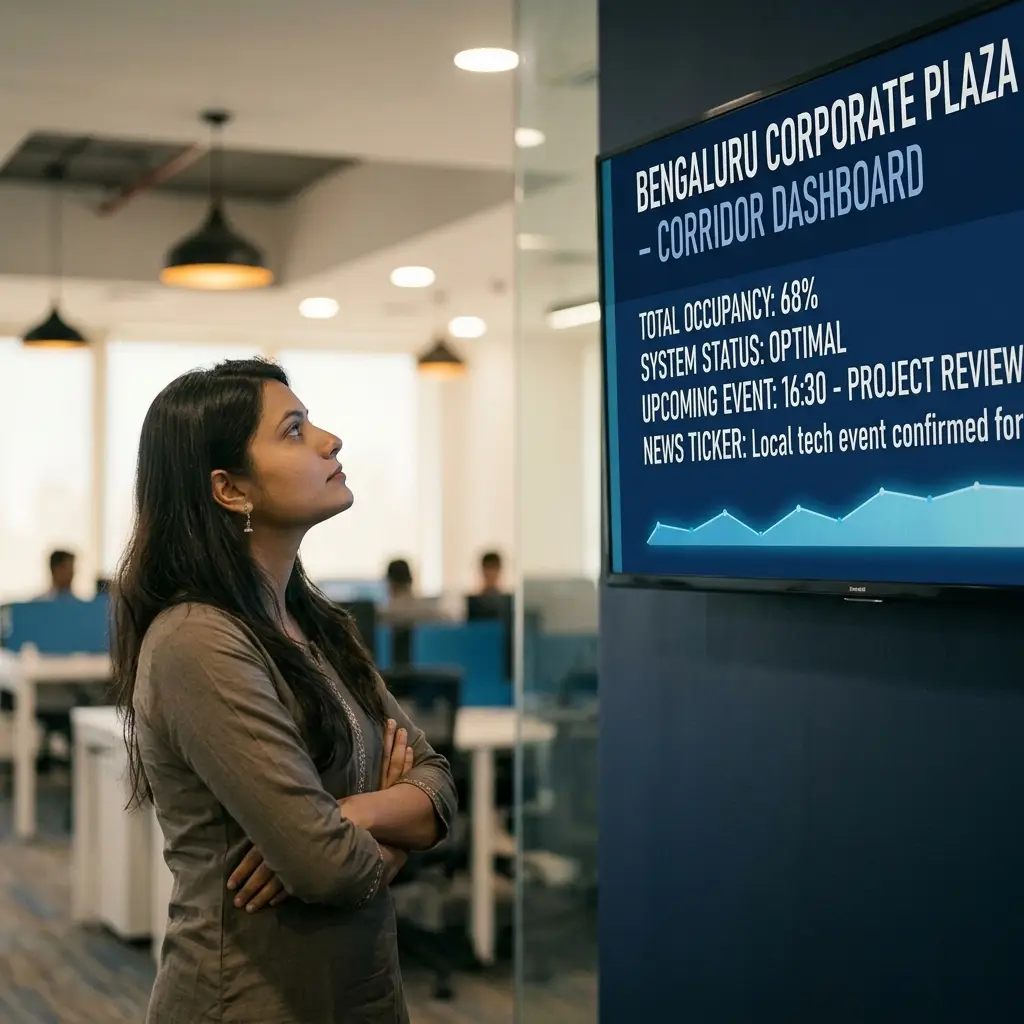
ICE Signage is corporate digital signage software that turns any Android device into a reliable office screen. Cloud CMS for remote management, offline-first playback that survives internet outages, and a 5-layer auto-start system that recovers from power cuts without anyone touching the screen. No proprietary hardware. No lock-in.
The lobby TV shows cable news nobody chose. The corridor display went dark after the last power cut and nobody restarted it. The cafeteria screen hasn't been updated since someone last plugged in a USB drive. Your corporate digital signage should drive internal communications — announcements, targets, branding — not create IT headaches every time a screen goes dark.
From a 20-person startup in a co-working space to a 2,000-person enterprise with offices across India — here is how corporate digital signage software puts every Android screen to work for internal communications, lobby branding, and employee recognition.
Upload your announcement graphic, drag it to the top of any playlist, and hit publish. Every screen — lobby, corridor, cafeteria, sales floor — updates in under 30 seconds via hash-based sync. No USB drives. No walking to screens. No emailing files.
Design your KPI graphic in Canva, PowerPoint, or Figma — export as an image, upload to the CMS, and assign to the sales floor screen. Use the playlist builder's per-item duration to control how long it displays. Schedule it by time of day and push updates in under 30 seconds whenever numbers change.
Lobby digital signage makes your first impression permanent. Run a playlist of brand imagery, company values, client logos, and awards on your reception screen. Add the real-time analog clock applet as an overlay — it runs live alongside your images with no manual update ever needed. Customise the playlist for a client visit from your phone in under a minute, from anywhere.
Use your office digital signage as an employee communication screen for recognition. Design a recognition slide, upload it to the CMS, and push it to every screen in the office. Star performers, work anniversaries, team milestones, and birthdays all land on every screen the moment they matter. Use Screen Groups to broadcast a recognition to every office location at once with a single publish action.
ICE Signage ships with three built-in interactive applets. The live RSS news ticker scrolls any custom RSS feed continuously as an overlay — meeting reminders, IT notices, facility updates. The real-time analog clock displays live time as an overlay or in a dedicated zone. YouTube streams play directly in the playlist. No manual updates, ever.
Upload safety notice images to the CMS and include them in every screen's playlist. Because ICE Signage uses offline-first atomic caching, these notices keep playing even if the internet is down — content is already cached locally on the Android device and loops continuously without any network dependency.
No complex configuration. No IT department. No proprietary hardware to buy. Three steps from unboxing to displaying content on your corporate office digital signage screens.
Install the ICE Signage player app on any Android device — Amazon Fire TV Stick, Android TV box, tablet, or commercial display. The app shows a 7-digit pairing code. Enter it in your cloud CMS dashboard. The screen is connected instantly. No cables, no USB, no IT ticket required.
Drag images, videos, and applets into the cloud media library. Build playlists with the visual editor — set a per-item display duration for each piece of content, schedule by time of day, and add a live RSS ticker or analog clock as an overlay. Mix any format in any order in the same playlist.
Hit save. Content syncs to every assigned screen in under 30 seconds via hash-based caching. From here the player handles everything — auto-starts on power using five independent boot layers, auto-updates over the air when a new version is available, and auto-recovers from any crash via the watchdog service.
Your finance team just confirmed Q1 numbers — 118% of target. You need every person in the building to see it before the all-hands. Open the ICE Signage cloud CMS on your phone, upload the announcement image, drag it to the top of the playlist, and hit publish. This is corporate digital signage that works the way internal communications should — hash-based caching means every assigned screen — lobby, corridor, cafeteria, sales floor — has the update in under 30 seconds. Add the live RSS news ticker applet as a scrolling overlay to run meeting reminders underneath the content at the same time. When the meeting is over, remove the slide with one click.
No IT setup. No hardware purchase. No contract. Install the ICE Signage Android player on any device you already own, pair it with a 7-digit code, upload your internal communications content, and publish. Free trial — no credit card required.
ICE Signage makes multi-location corporate digital signage simple. Use Screen Groups to assign one playlist to any number of screens at once — by location, floor, department, or across every office in India. One broadcast action pushes the update simultaneously. Hash-based caching means each device downloads only what has changed, not the entire playlist. Each office can still manage its own local screens independently at the same time — city-specific notices, floor-level announcements, recognition slides — without touching the company-wide group.
Every feature in ICE Signage corporate digital signage software exists because real-world office deployments demanded it — from surviving power cuts to handling flaky internet across Indian cities and beyond.
Push player app updates silently to every device in your office network. Server-side version checking triggers automatic APK downloads and seamless installs — no technician visits, no manual intervention required across any of your locations. New features reach every screen in your building automatically.
Five independent boot mechanisms — boot receiver, foreground service, AlarmManager, OEM-specific intents, and Direct Boot — working in concert. Whether your office screen runs on a Samsung, Xiaomi, Realme, or Amazon Fire device, the player launches automatically after every restart. If one layer is blocked by the manufacturer, the next catches it.
Atomic media caching with hash-validated downloads ensures your screens never go blank. Content is fully cached locally on each Android device — if your office internet drops for hours, playback continues without a glitch. The player uses a temp-file-then-rename strategy to prevent partial files and corruption, even on unreliable connections.
Build and reorder playlists with a visual editor anyone can use. Mix images, videos, and interactive applets in any sequence. Set a per-item display duration for each piece of content, schedule by time of day, and push changes live in under 30 seconds. No technical skills required — if you can drag and drop a file, you can run digital signage.
Go beyond static images and videos with three live applets. The RSS news ticker scrolls any custom RSS feed as a continuous overlay — meeting reminders, IT notices, facility updates. The real-time analog clock displays live time. YouTube streams play directly in the playlist. All three run as screen overlays or in dedicated zones alongside your media content.
Assign one playlist to hundreds of screens at once using broadcast groups. Organise screens by location, department, floor, or purpose — all from a single cloud dashboard. Push a company-wide announcement to every screen in your entire office network simultaneously, or manage individual screens one by one. The essential feature for enterprise digital signage across multi-office deployments in India.
Join businesses across India using ICE Signage office digital signage software to keep office screens running 24/7 — offline-first, self-healing, and updated from any browser. Built in Bengaluru for Indian enterprises. No proprietary hardware. No lock-in. No IT department required.
ICE Signage has two parts: a cloud CMS in your browser and an Android player app on your screen device. You upload announcement slides, KPI graphics, and branding images to the CMS, build playlists with the visual editor, and assign them to your office screens. The player downloads everything locally and starts displaying — with full offline playback, automatic startup after power cuts, and over-the-air app updates. No IT department required.
ICE Signage works on virtually any Android device — Amazon Fire TV Stick, Android TV boxes, tablets, and commercial displays with built-in Android from Samsung, LG, or Philips. There is zero hardware lock-in. Use whatever you already own or buy off the shelf. The 5-layer auto-start system specifically handles OEM restrictions from Samsung, Xiaomi, Realme, OnePlus, and Amazon devices, so the player restarts automatically on every device your office uses.
ICE Signage uses an offline-first architecture. All content is downloaded and cached locally on each Android device using atomic file operations — no partial downloads, no corrupted files. If your office internet drops for hours, every screen continues playing exactly what it was playing. The player syncs automatically in the background when connectivity returns. Your lobby display stays live in front of a visiting client no matter what.
Most signage apps rely on a single Android startup mechanism — which device manufacturers often block through battery optimisation. ICE Signage uses five independent layers: boot receiver, foreground service, AlarmManager, OEM-specific intents, and Direct Boot. If one layer is blocked by the device manufacturer, the next one catches it. Your office screens restart and resume playing automatically after every power cut, every reboot, every time — without anyone walking over to press anything.
Yes. The ICE Signage cloud CMS gives you centralised control over every screen in your network from any web browser. Use Screen Groups to broadcast one playlist update to any number of screens at once — whether they are on different floors of the same building or in offices across different Indian cities. Monitor the real-time online and offline status of every screen, manage them individually or in groups, all from the same dashboard.
ICE Signage includes three interactive applets. The live RSS news ticker scrolls any custom RSS feed continuously as a screen overlay — point it at an internal feed to show meeting reminders, facility notices, and IT updates live underneath your regular content. The real-time analog clock displays live time as an overlay or in a dedicated zone. The YouTube stream applet plays any YouTube video or channel directly in the playlist alongside your images and videos.
ICE Signage supports images (JPEG, PNG, GIF, WebP) and videos (MP4, MOV, AVI, WebM) up to 50MB per file. Each account includes 10GB of cloud storage. Files are automatically orientation-detected on upload. You can mix any combination of images, videos, and applets in the same playlist and set an individual display duration for each item.
When a new version of the ICE Signage Android player is released, each device detects it through server-side version checking, downloads the APK automatically, and installs it without interrupting currently playing content. Every screen across every office location stays updated without technician visits or manual intervention. For multi-location corporate deployments, this is critical.
ICE Signage offers a free trial with no credit card required. You can pair your first Android device, upload content, and run your first office screen completely free to evaluate the platform. Paid plans are available for teams managing multiple screens across one or more locations. There are no hardware costs — use any Android device you already own. For pricing details, start your free trial and explore plans from the dashboard.